Convoship imports run through a single extraction pipeline: deterministic baseline parse -> optional AI extraction -> validation -> repair loop (up to N iterations) -> optional frontier escalation when configured. The result is always a ConversationFlow JSON shape shared by the builder, runtime, and embed SDK.
Where to import
| Surface | Route | Use case |
|---|---|---|
| New assistant wizard | /app/assistants/new | Create a brand-new assistant from one or more sources. |
| Move → Import / Export | /app/assistants/{id}/import-export | Re-import into an existing assistant; export draft or published JSON/Draw.io. |
| API | POST /v1/imports/... | Programmatic imports from CI or migration scripts. |
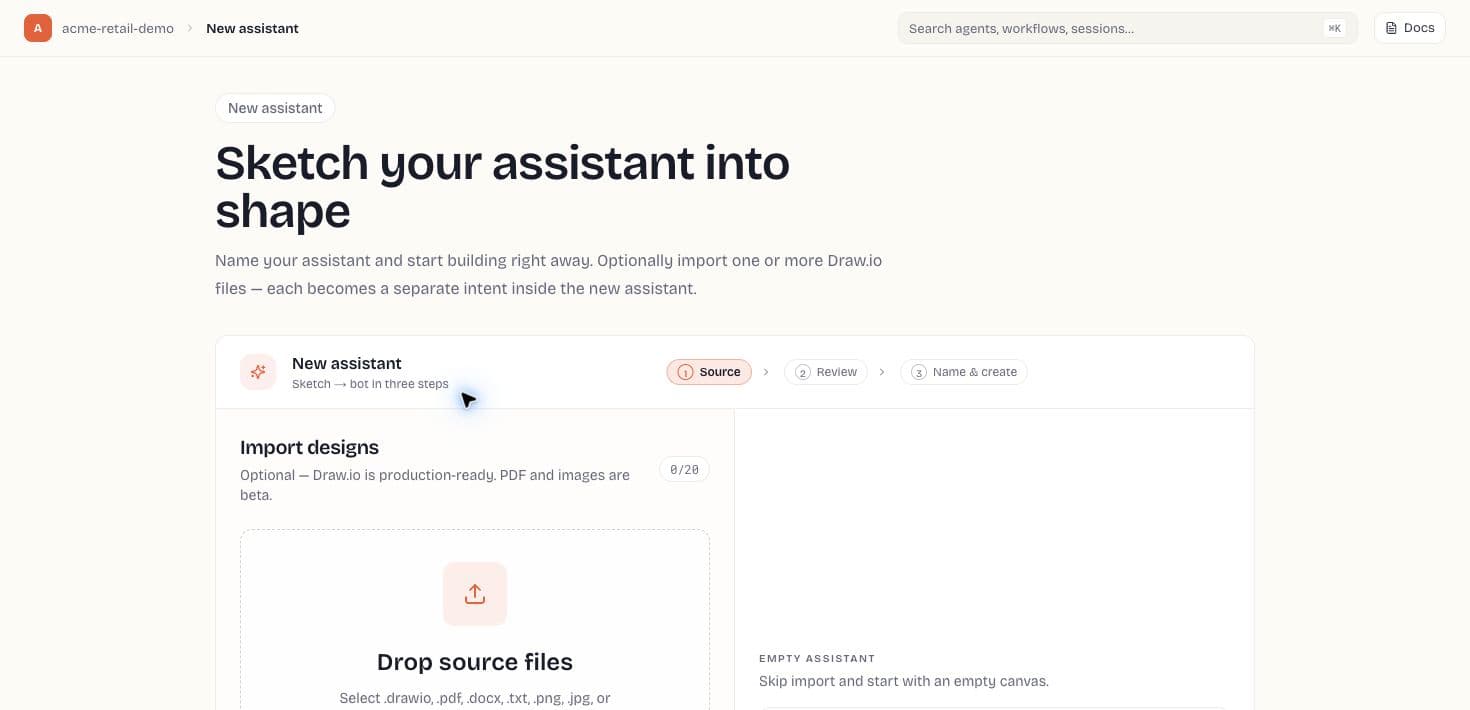
New assistant wizard (3 steps)
- Source — drag-drop files, paste Draw.io XML, choose Use AI extraction, or choose Start blank.
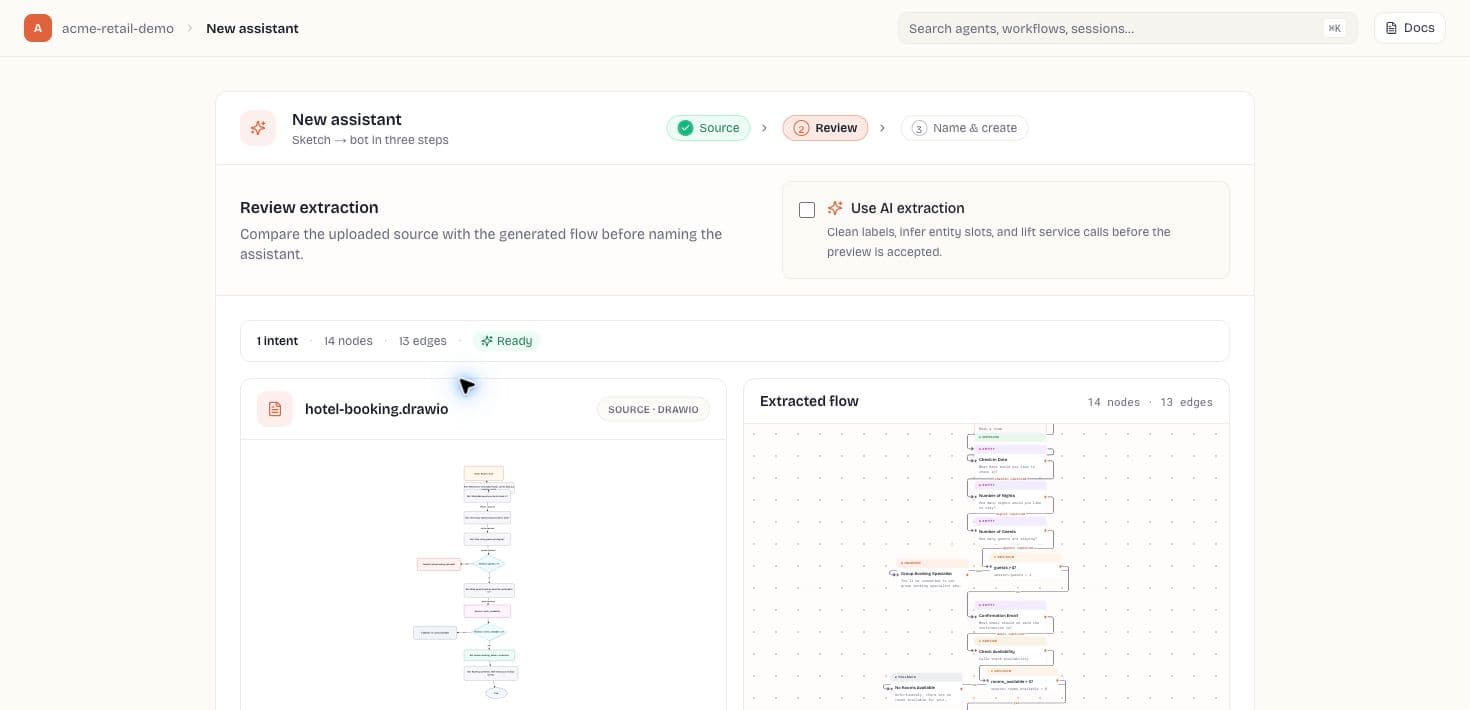
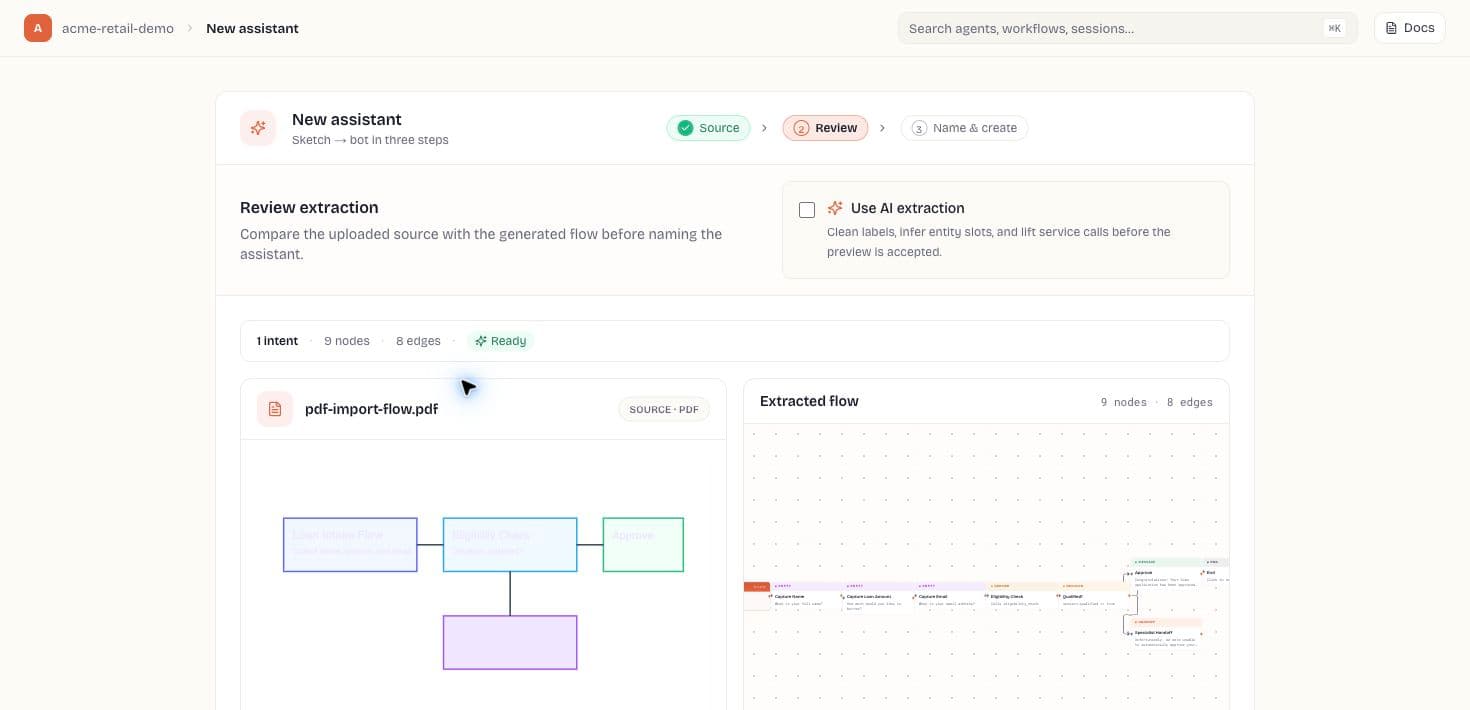
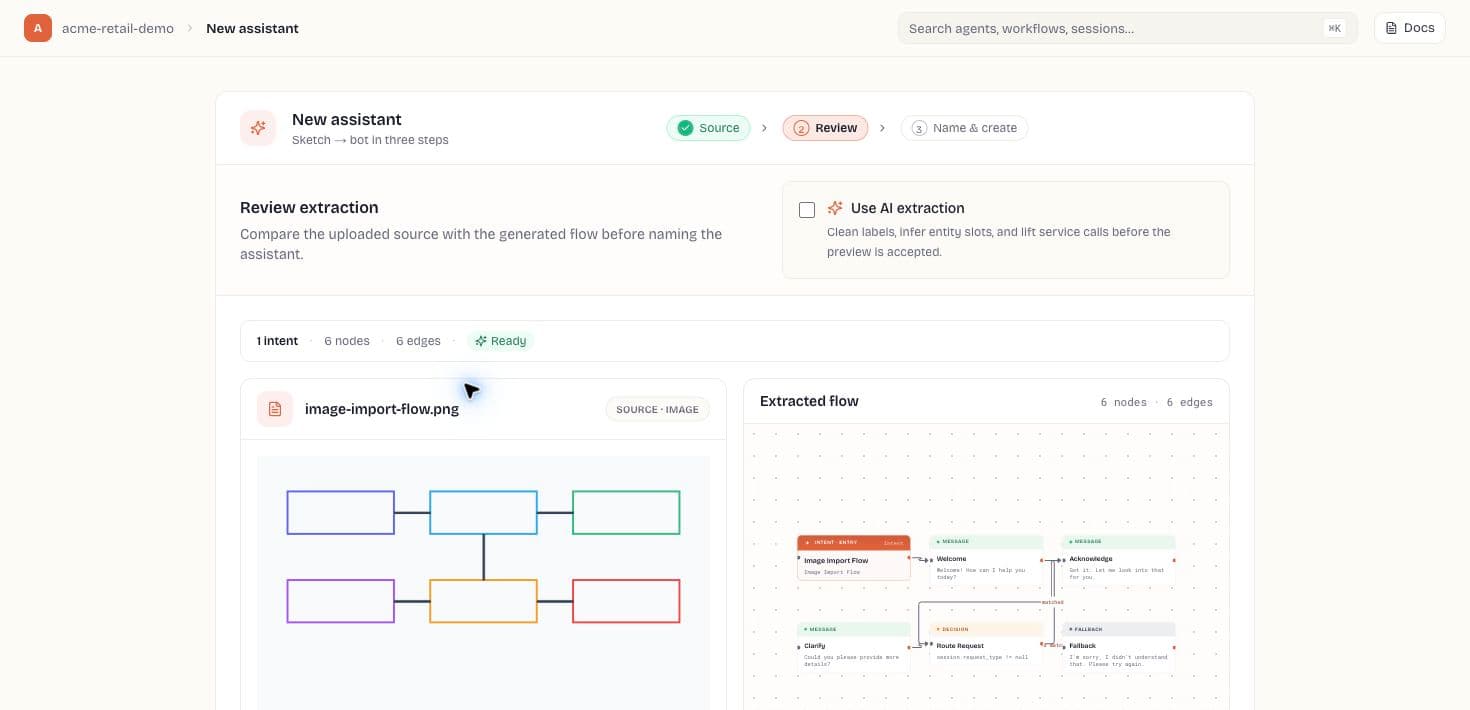
- Review — extraction preview per file (intent count, node count, warnings, model used). Wizard polls until the worker finishes.
- Name & create — assistant name, description, default locale (en-US, etc.), optional channel chips (Web, WhatsApp, Voice, Webhook — informational today). POST creates the assistant and redirects to import review when applicable.
Supported source types
| Type | Extensions / input | Pipeline notes |
|---|---|---|
| Draw.io | .drawio, .xml, pasted XML | Deterministic XML parse first; LLM enriches labels, slots, and service calls. |
| Text extract + optional vision (page renders) for visual content. | ||
| Word | .docx | Document text extraction then same enrich/repair loop. |
| Plain text | .txt, .md | Direct text baseline. |
| Image | .png, .jpg, .webp | Vision model (OpenAI-compatible VLM) when configured. |
| Flow JSON | .json | Skips extraction — validates and loads existing ConversationFlow. |
AI extraction
When Use AI extraction is on (default in production), every import must succeed at LLM extraction — deterministic-only fallback is rejected when EXTRACTION_REQUIRE_LLM=true. The UI shows model name, token cost, repair iterations, and models_tried when escalation ran.
Import review gate
After a wizard import, you land on /app/assistants/{id}/imports/{importId}/review. Compare baseline vs enriched flow, resolve validation issues, and Approve before publishing when import_require_review_before_publish is enabled. Publish returns import_review_required with a link to review if approval is pending.
Import / Export tab (existing assistant)
- Import card — same multi-format upload as the wizard; shows stepper (parse → enrich → validate → repair).
- Export — download draft or published flow as .json; export draft as .drawio for round-trip editing.
- Preview Draw.io — render current draft as Draw.io XML without leaving the app.
- Recent imports table — filename, model, latency, cost, status.
Scoped node repair
From the flow builder, select a node and run repair (POST /v1/agents/{id}/flow/repair-node). The extraction client re-runs LLM repair scoped to that node's validation issues without requiring the original Draw.io file. Returns updated draft, model, cost, and remaining issues.